
Business intelligence & analytics
Microsoft Power BI — business intelligence for better decisions
Turn data from your ERP, POS, warehouse and finance systems into interactive dashboards that management can trust.
Turn ERP, POS and warehouse data into decisions your managers trust.
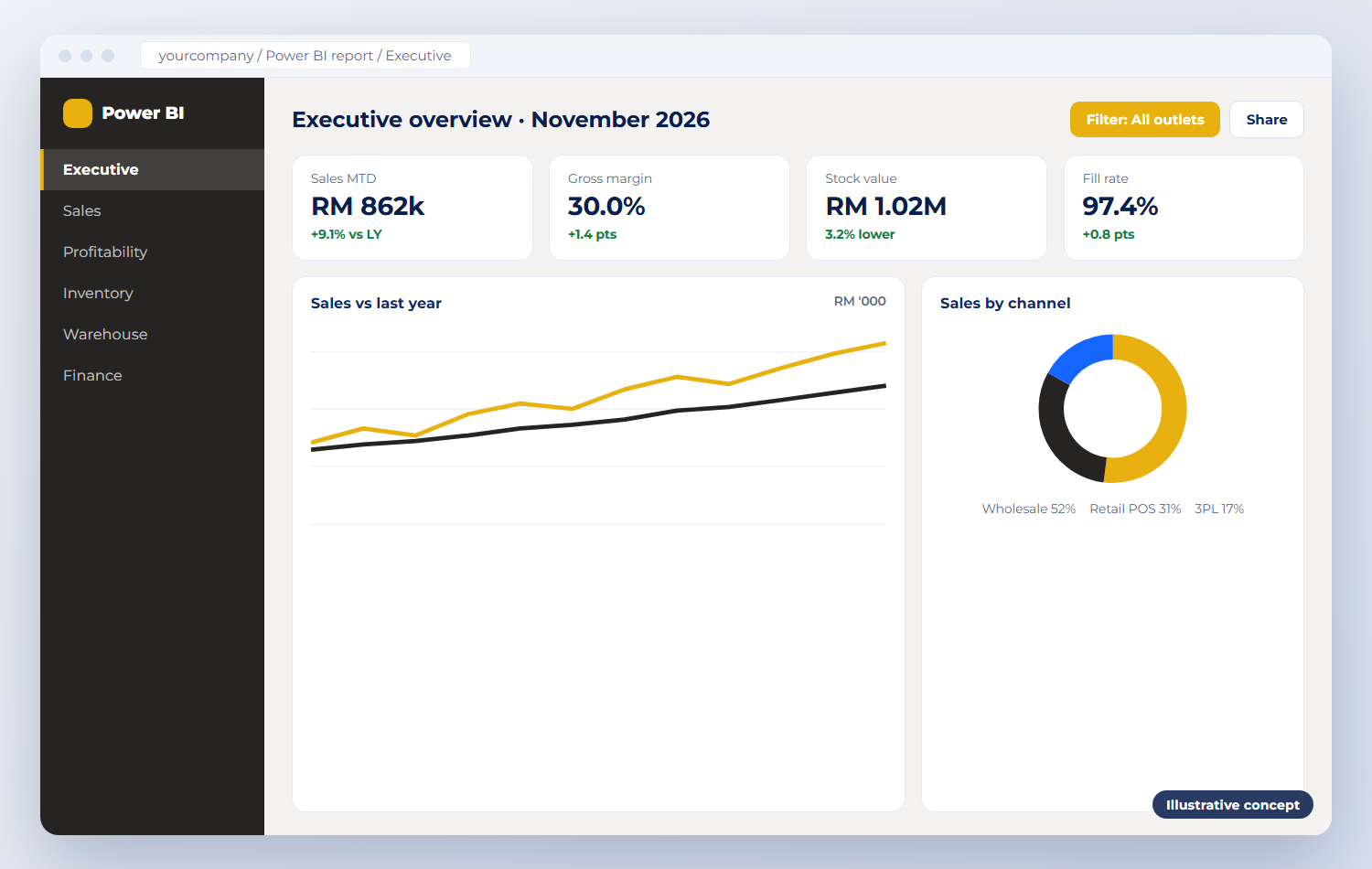
Product overview
What Power BI does
Microsoft Power BI is a business intelligence and data analytics platform. It connects to your business systems, combines the data and presents it as interactive reports and dashboards that anyone can explore on desktop, browser or mobile.
We build the data model behind your reports: sales and margin from the POS and ERP, stock and movements from the warehouse, and figures from finance — refreshed on a schedule, so management can monitor today’s performance and compare it with history.
Business problems it solves
Month-end reports built manually in Excel
Different numbers from different systems
No live view of sales, margin and stock
Managers waiting for reports to be prepared
Business purpose
Power BI gives owners, managers and finance teams one trusted view of performance, replacing month-end spreadsheets with live, drill-down numbers.
Target industries & users
Business owners and management
Finance teams and controllers
Retail and outlet managers
Warehouse and operations managers
Key functionality
Five key functions of Power BI
Interactive business dashboards
One-page views of sales, stock and cash, with filters and drill-down to the transaction.
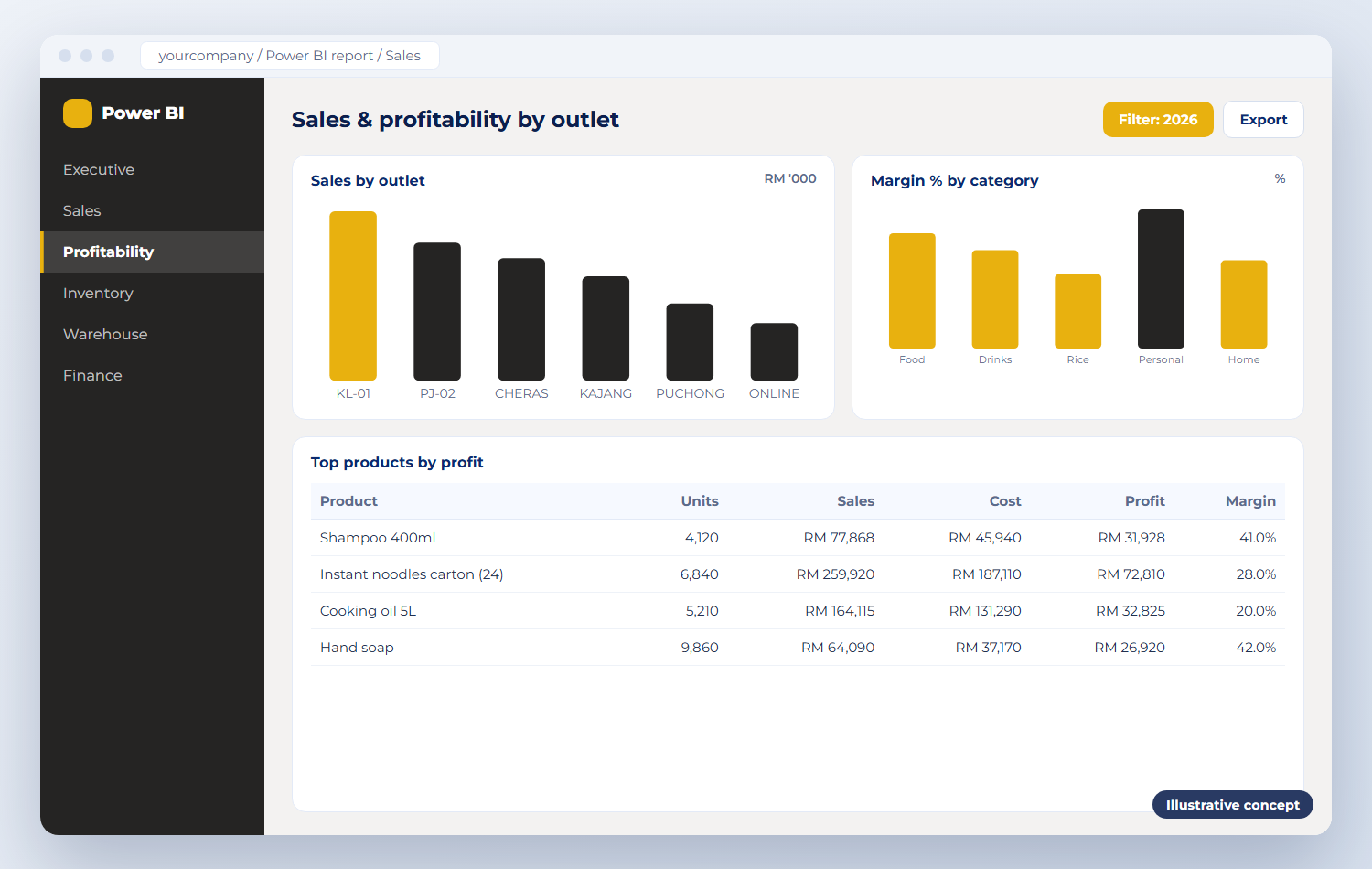
Sales & profitability analysis
Sales, margin and growth by outlet, product, customer and salesperson.
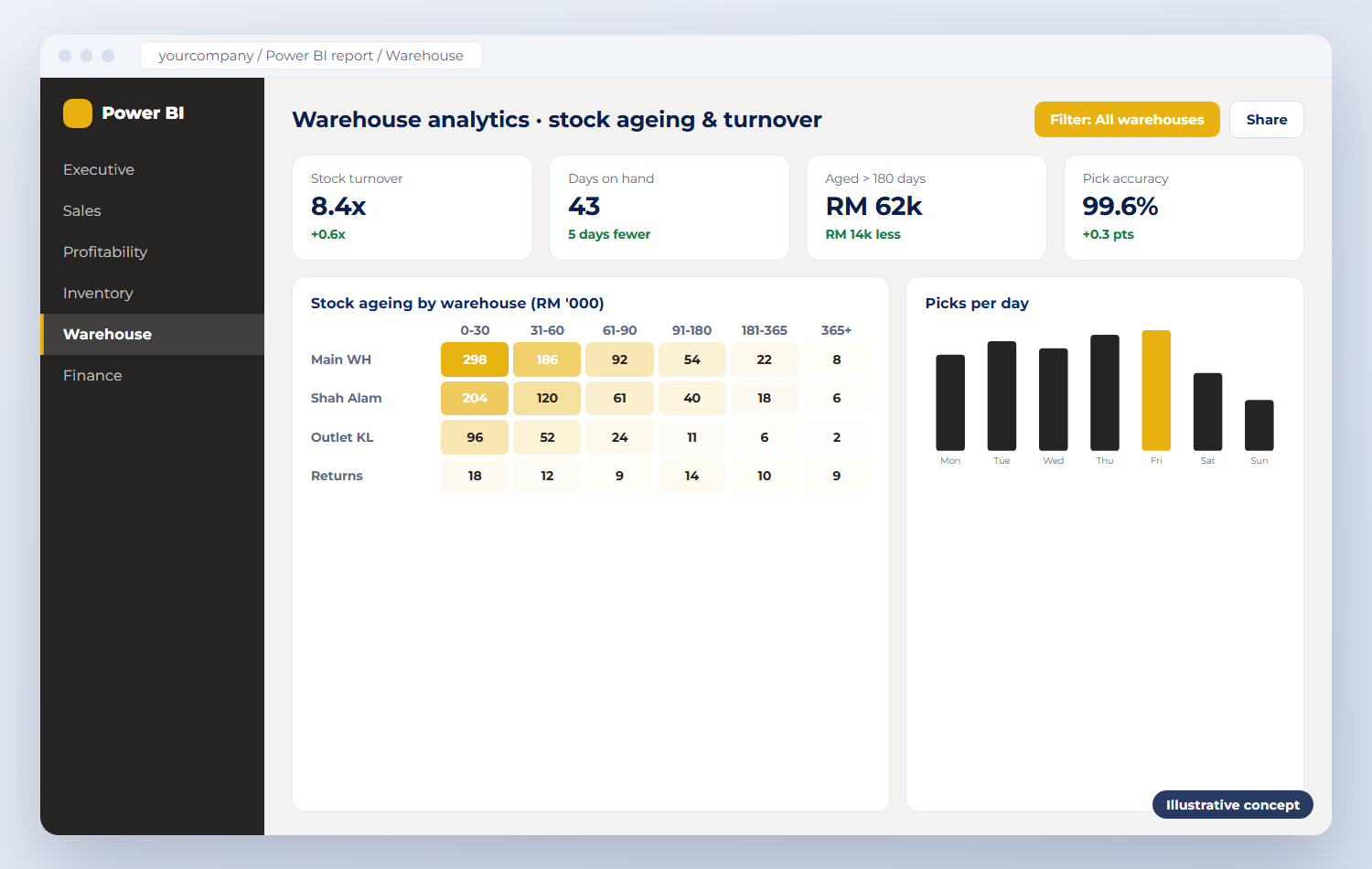
Inventory & warehouse performance
Stock value, ageing, turnover, fill rate and warehouse activity in one place.
Financial & operational reporting
Profit and loss, cash flow and operational KPIs refreshed from your ERP.
Data integration & insights
Data combined from ERP, POS, warehouse and spreadsheets, shared securely with the right people.
Product screenshots
Power BI in action
Illustrative concepts of typical screens. Your system is configured to your own processes and data.
How it works
How it fits into your daily operations
Connect
Link the ERP, POS, warehouse and spreadsheets.
Model
Clean and combine the data into one model.
Visualise
Dashboards for sales, stock and finance.
Share & refresh
Scheduled refresh and secure sharing.
Integration capabilities
Works on its own — or with your other systems
Standalone
Power BI is a reporting layer: it reads from the systems you already run, so nothing has to be replaced.
Integrated
We connect Dolibarr, Nexora ERP, Business Central, POS, warehouse and Excel data into one model.
Implementation & support
How DInforSolutions delivers Power BI
Setup, configuration, data migration, training and ongoing support from one accountable team.
Report requirements workshop
Data model from ERP, POS and warehouse
Dashboards for sales, stock and finance
Scheduled refresh and secure sharing
Training for report users
Pricing
Contact us for pricing
Tailored pricing
Microsoft Power BI implementation
Power BI projects are scoped around the reports you need and the data behind them.
Contact us for pricing
Pricing depends on
Number of dashboards and reports
Data sources and system integrations
Data transformation requirements
Reporting complexity
User access and licensing requirements
Ongoing maintenance and support
Products
Part of an integrated portfolio
Our integrated warehouse, replenishment, retail POS and ERP platform, built around barcode scanning.

Integrated ERP and CRM for SMEs: customers, sales, purchasing, stock and finance in one web system.
Microsoft’s business management ERP connecting finance, sales, purchasing, inventory and operations.
LHDN MyInvois e-Invoicing integrated with your ERP, sales, purchasing and accounting.
Barcode scanning and handheld devices for receiving, put-away, picking and stock take — standalone or integrated.
Enquiry
Request a demo or quotation
Tell us about your business size, number of users, the modules you need and your timeline. We reply with a clear next step — usually a demo or a short requirements call.
Call us
Email us
Send your enquiry
Fields marked * are required.