
Barcode · Handheld · Warehouse
Mobile Scanning & Handheld Warehouse Solutions
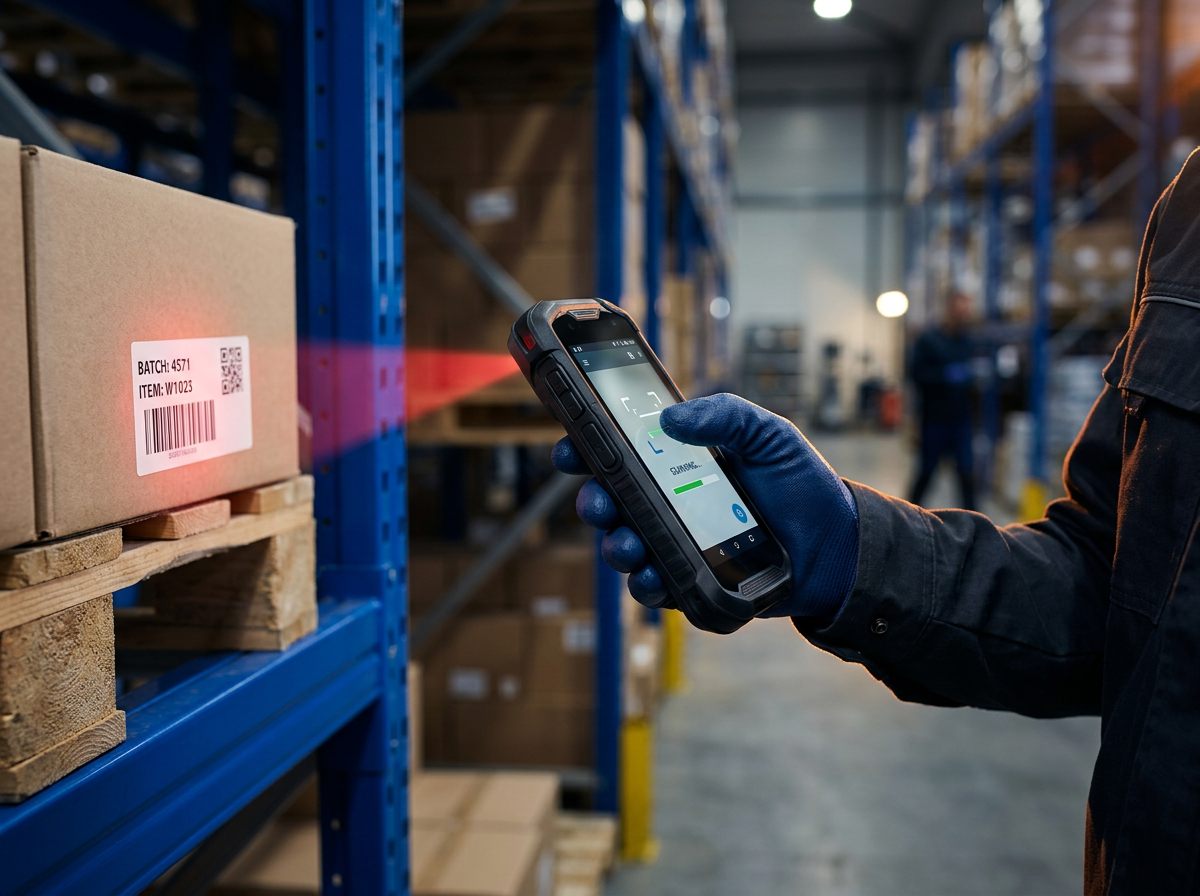
Improve warehouse accuracy and operational efficiency with mobile barcode scanning and handheld solutions from DInforSolutions.
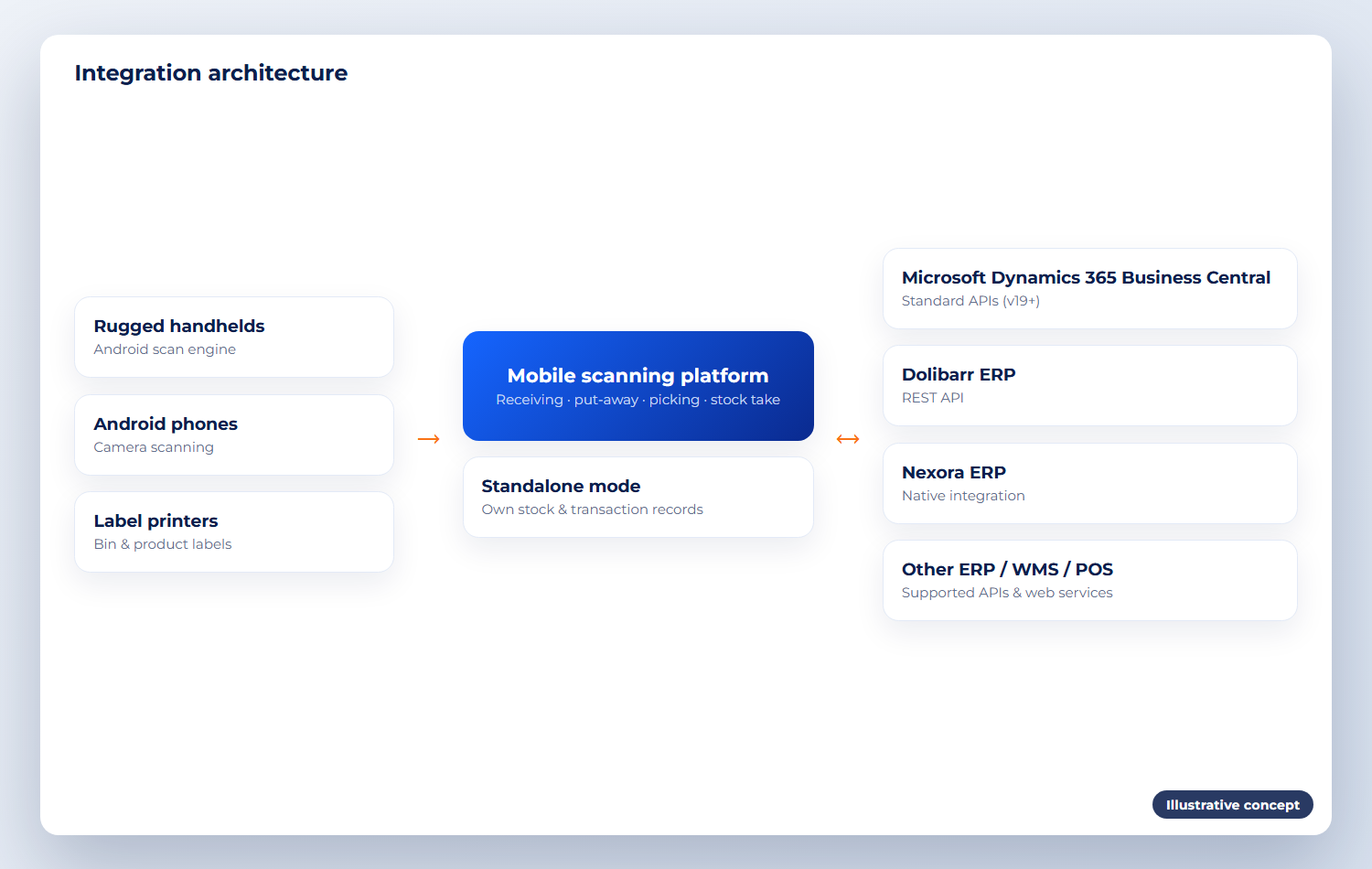
Standalone or integrated with your ERP, WMS or POS.
Product overview
What Mobile Scanning does
Our mobile scanning solutions help businesses capture inventory movements, validate warehouse transactions and improve stock visibility through handheld devices and barcode technology.
The solution can be implemented as a standalone warehouse scanning system or integrated with existing ERP, WMS, POS and inventory management platforms.
Business problems it solves
Paper picking lists and manual keying
Wrong items or quantities shipped
Stock takes that take days and still don’t match
No record of who moved what, and where
Business purpose
Capture every stock movement at the point of work, so errors are stopped on the floor instead of found at month-end.
Target industries & users
Warehouses and distribution centres
3PL and logistics operators
Retail back stores and outlets
Manufacturers’ raw material stores
Key functionality
Five key functions of Mobile Scanning
Barcode scanning
Product and item barcode scanning, barcode validation, and serial number and batch tracking.
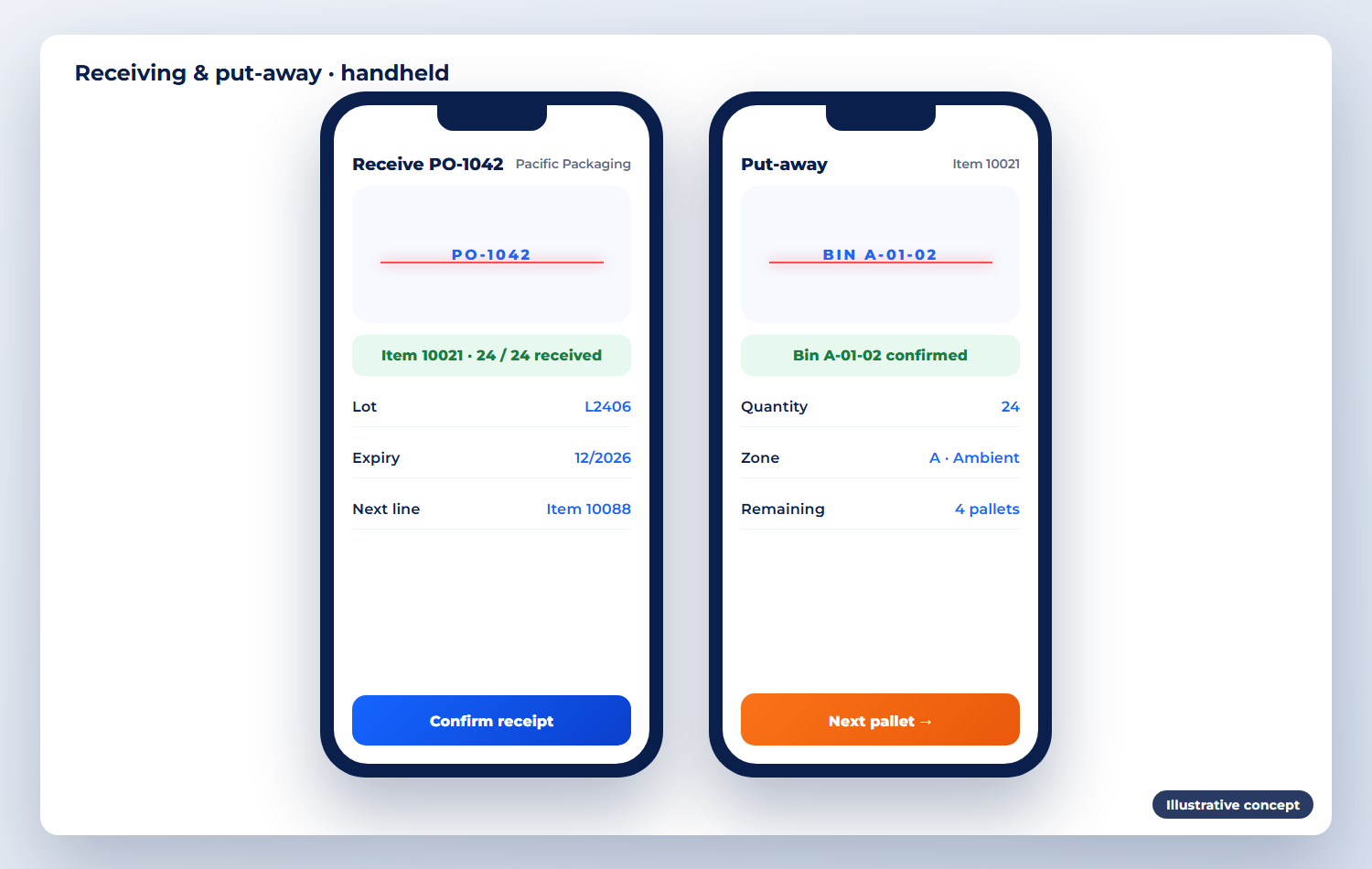
Warehouse receiving
Purchase order receiving, goods receipt confirmation and quantity validation.
Put-away & bin management
Warehouse bin scanning, rack and location management, and stock movement confirmation.
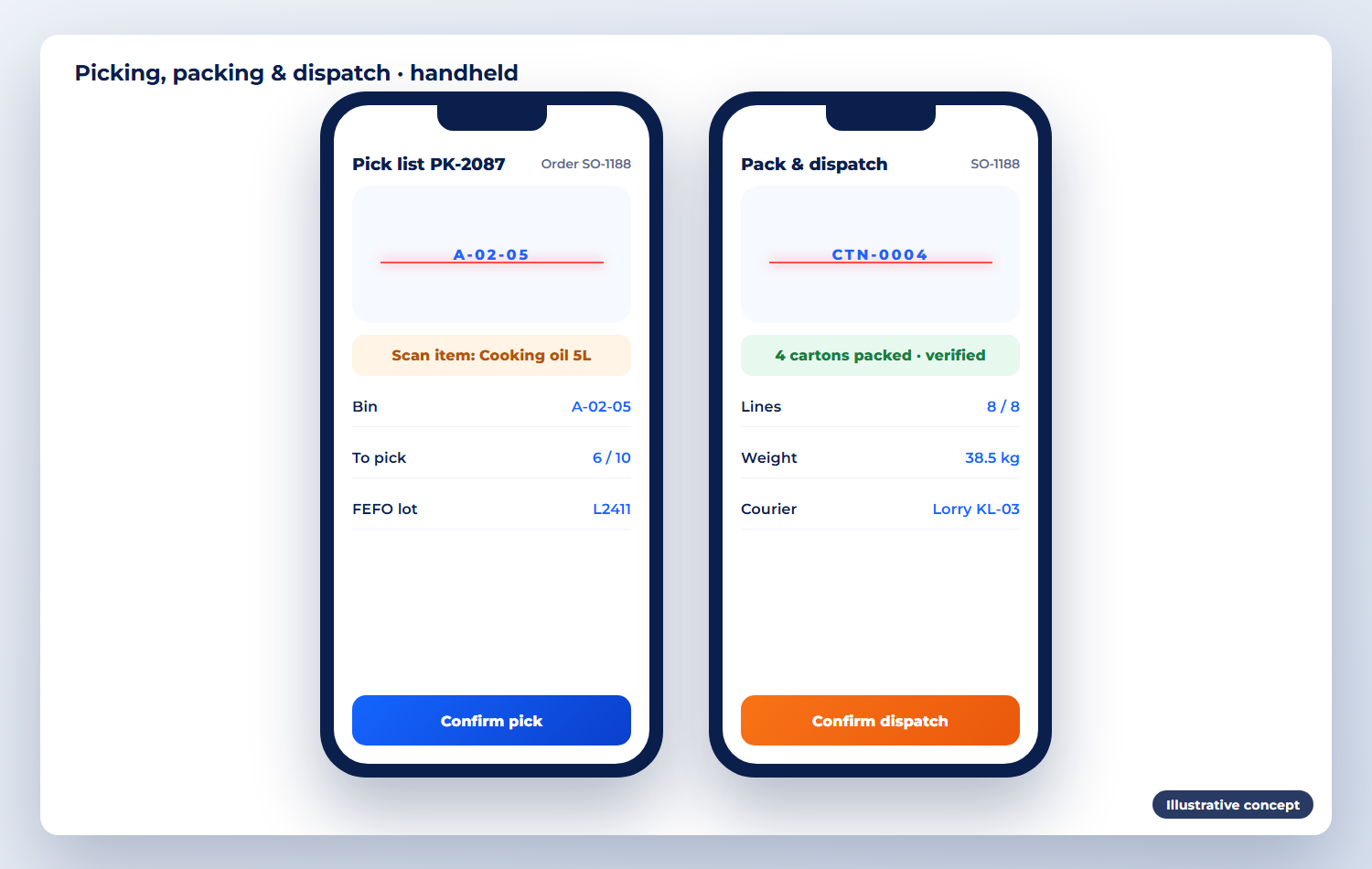
Picking, packing & dispatch
Mobile picking instructions, order quantity verification, and packing and dispatch confirmation.
Stocktaking & inventory control
Physical stock counts, cycle counts, inventory adjustments and real-time stock updates where integrated.
Product screenshots
Mobile Scanning in action
Illustrative concepts of typical screens. Your system is configured to your own processes and data.
How it works
How it fits into your daily operations
Receive
Scan the PO and each carton; quantities are validated.
Put away
Scan the bin to confirm where stock is stored.
Pick & pack
Follow mobile pick lists; scan to verify every line.
Count
Cycle counts and stock takes by bin, with variances flagged.
Integration capabilities
Works on its own — or with your other systems
Standalone
Option A — for businesses that need barcode scanning and warehouse transaction management without implementing a full ERP system.
Integrated
Option B — connect mobile scanning devices to Microsoft Dynamics 365 Business Central, Dolibarr ERP, Nexora ERP, and other ERP and WMS platforms through supported APIs and web services. Integration availability depends on the target system’s technical capabilities and interface requirements.
Supported devices & barcode technologies
Implementation & support
How DInforSolutions delivers Mobile Scanning
Setup, configuration, data migration, training and ongoing support from one accountable team.
Device selection and procurement
App setup, enrolment and Wi-Fi checks
Bin and product label design
ERP / WMS integration and testing
User training and device support
Pricing
Contact us for pricing
Tailored pricing
Mobile scanning & handheld solution
We quote once the devices, software and integration scope are known.
Contact us for pricing
Pricing depends on
Device model and quantity
Software requirements
Number of users
Integration scope
Implementation and support
Products
Part of an integrated portfolio
Our integrated warehouse, replenishment, retail POS and ERP platform, built around barcode scanning.

Integrated ERP and CRM for SMEs: customers, sales, purchasing, stock and finance in one web system.
Microsoft’s business management ERP connecting finance, sales, purchasing, inventory and operations.
LHDN MyInvois e-Invoicing integrated with your ERP, sales, purchasing and accounting.
Business intelligence dashboards built on your ERP, POS, warehouse and finance data.
Enquiry
Request a demo or quotation
Tell us about your business size, number of users, the modules you need and your timeline. We reply with a clear next step — usually a demo or a short requirements call.
Call us
Email us
Send your enquiry
Fields marked * are required.