
LHDN e-Invoicing
MyInvois e-Invoice — compliant invoicing from your ERP
Connect your sales, purchasing and accounting to LHDN’s MyInvois so every invoice is validated automatically — with no double entry in the portal.
Submit, validate and track every e-Invoice straight from your ERP.
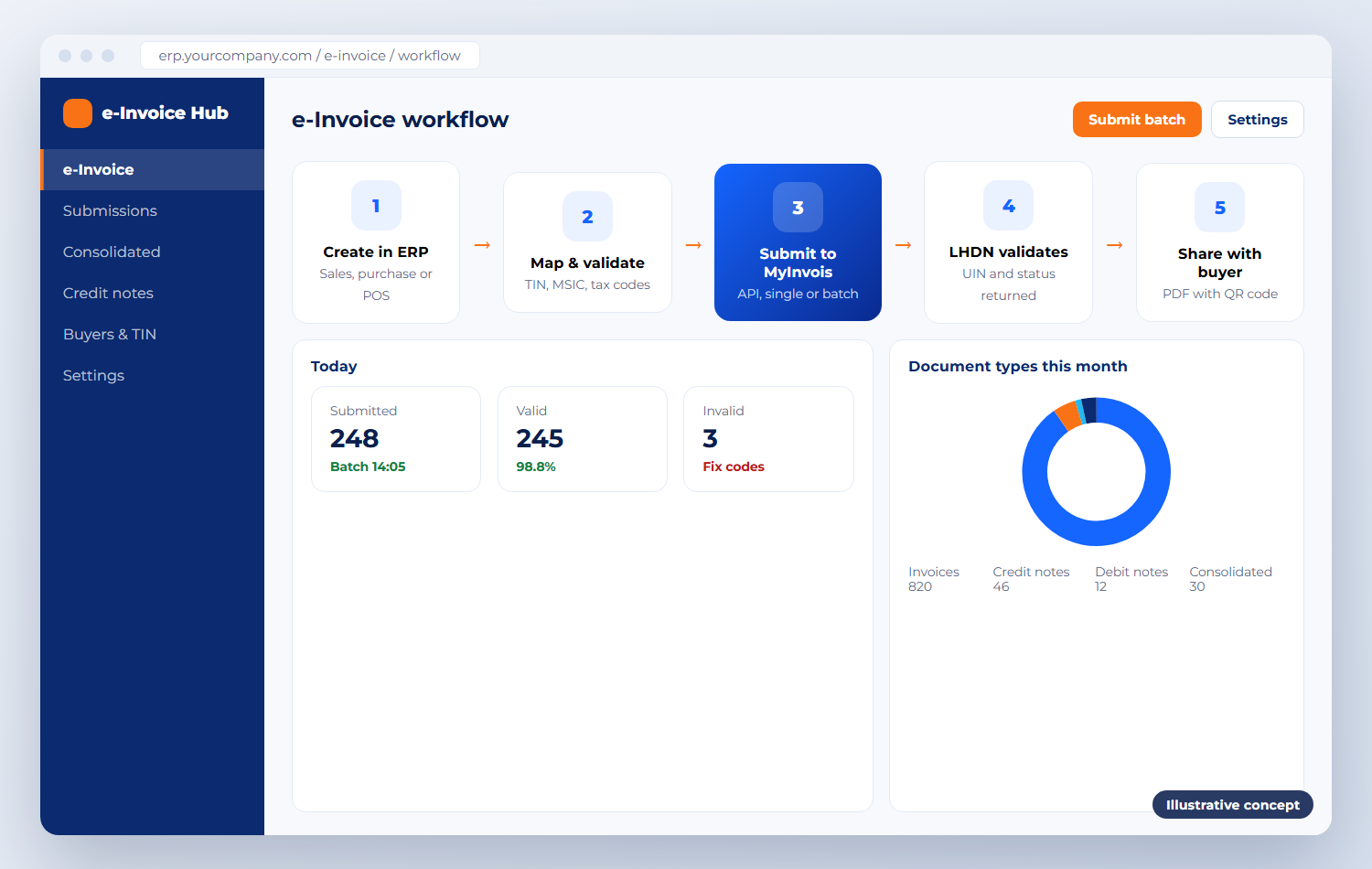
Product overview
What MyInvois does
Malaysia is moving businesses to electronic invoicing in phases by annual turnover. Under the Inland Revenue Board of Malaysia (LHDN) requirements, invoices, credit notes, debit notes and refund notes are submitted to the MyInvois system, which validates each document and returns a unique identifier and QR code before it is shared with the buyer.
MyInvois can be used through its web portal or through API integration. For businesses issuing more than a handful of invoices, connecting the ERP directly is the practical route: documents are created once in your system, then submitted, validated and stored automatically.
Business problems it solves
Manual double entry into the MyInvois portal
Rejected documents because of a wrong TIN or code
No clear status of what was submitted
Consolidated e-Invoices needed for POS sales
Business purpose
DInforSolutions implements and integrates e-invoicing into your business processes — in Dolibarr, Nexora ERP and Business Central — from readiness review and code setup to sandbox testing, go-live and support.
Target industries & users
Businesses entering their e-Invoice phase
Retailers needing consolidated B2C e-Invoices
Distributors with high invoice volumes
Finance teams reconciling sales and purchases
Key functionality
Five key functions of MyInvois
E-Invoice creation & submission
Invoices are created in your ERP and submitted to MyInvois automatically, one by one or in batches.
MyInvois integration
Direct API connection with secure credentials, for both the sandbox and production environments.
Validation & status tracking
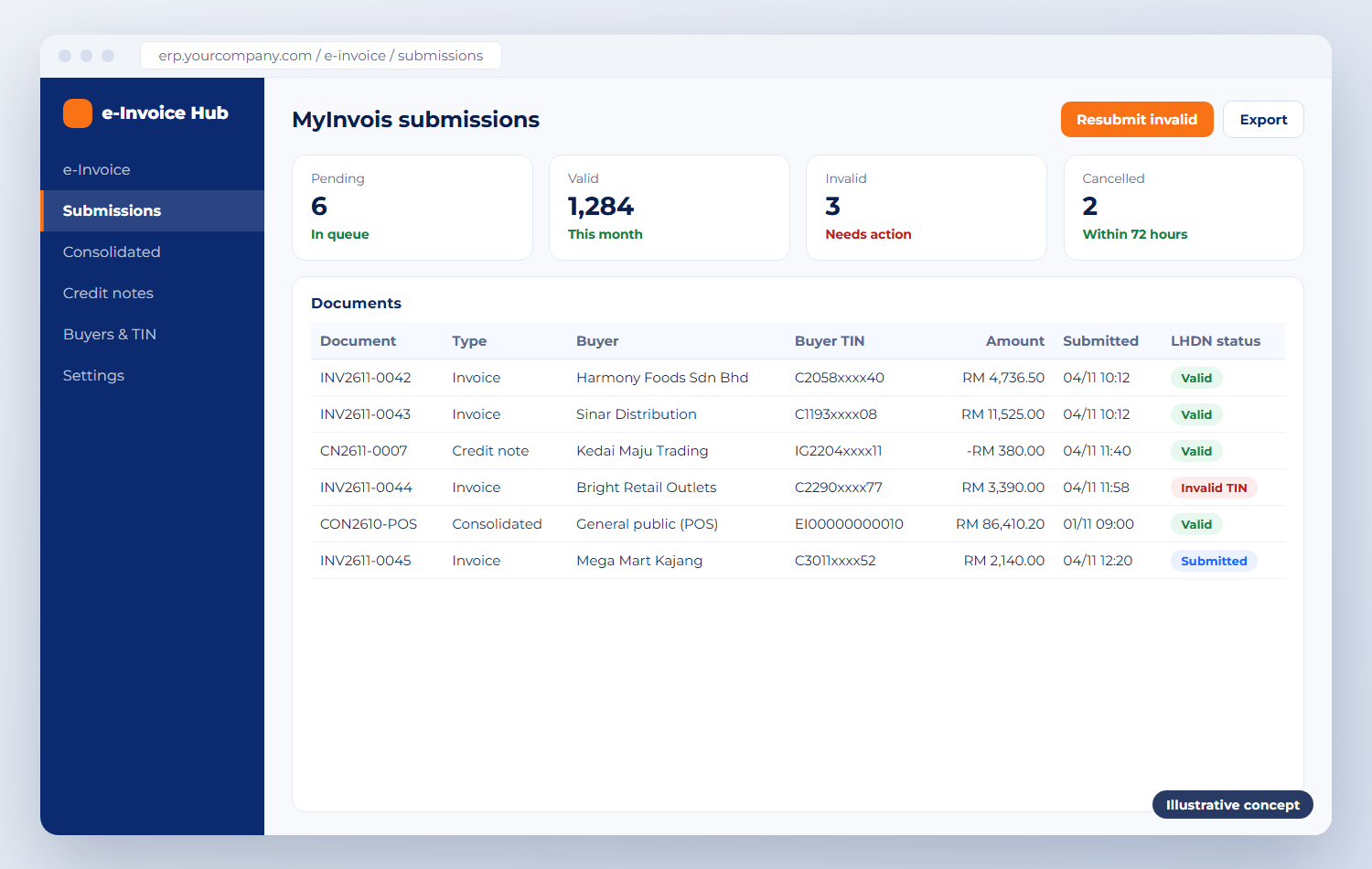
Submitted, valid, invalid or cancelled status for every document, with the UIN and QR code on the invoice.
Credit, debit & refund notes
Adjustments linked to the original e-Invoice, plus consolidated e-Invoices for retail and POS sales.
ERP integration & data management
Customer TIN, MSIC and classification codes managed in the ERP, with e-Invoice records kept for audit.
Product screenshots
MyInvois in action
Illustrative concepts of typical screens. Your system is configured to your own processes and data.

How it works
How it fits into your daily operations
Create
The invoice is raised in your ERP or POS as usual.
Validate & submit
Codes are checked and the document is submitted by API.
LHDN validates
The UIN and status are returned to your ERP.
Share
The invoice with its QR code is sent to the buyer.
Integration capabilities
Works on its own — or with your other systems
Standalone
For low volumes we can set up the MyInvois portal and train your team to use it directly.
Integrated
Integrated with Dolibarr, Nexora ERP, Business Central and other systems that provide API or database access.
Implementation & support
How DInforSolutions delivers MyInvois
Setup, configuration, data migration, training and ongoing support from one accountable team.
Readiness review and phase check
TIN, MSIC and classification code setup
API integration and sandbox testing
Consolidated e-Invoices for POS sales
Go-live, training and rule updates
Pricing
Contact us for pricing
Tailored pricing
MyInvois e-Invoice integration
Pricing depends on how you invoice today and how far you want to automate.
Contact us for pricing
Pricing depends on
Number of invoices and transactions
ERP integration requirements
Existing accounting or sales systems
Automation requirements
Implementation and support requirements
Products
Part of an integrated portfolio
Our integrated warehouse, replenishment, retail POS and ERP platform, built around barcode scanning.
Integrated ERP and CRM for SMEs: customers, sales, purchasing, stock and finance in one web system.
Microsoft’s business management ERP connecting finance, sales, purchasing, inventory and operations.
Business intelligence dashboards built on your ERP, POS, warehouse and finance data.
Barcode scanning and handheld devices for receiving, put-away, picking and stock take — standalone or integrated.
Enquiry
Request a demo or quotation
Tell us about your business size, number of users, the modules you need and your timeline. We reply with a clear next step — usually a demo or a short requirements call.
Call us
Email us
Send your enquiry
Fields marked * are required.